


 Review requests from your inbox to decide whether a proposed change should go ahead. Read the dates, people and reason before choosing Approve or Reject.
You need permission to manage approvals. The default Manager and Administrator roles have it; the
default Employee role does not. Receiving or reading an item does not by itself give you
permission to decide it.
Make a decision
1
Find pending requests
Open Inbox on Priority, add the Approval filter and choose Pending.
2
Open the request
Check the proposed details and any previous values, warnings or requester’s note.
3
Record your decision
Add an optional note, then choose Approve or Reject. Open the detail first when you want
to explain your decision.
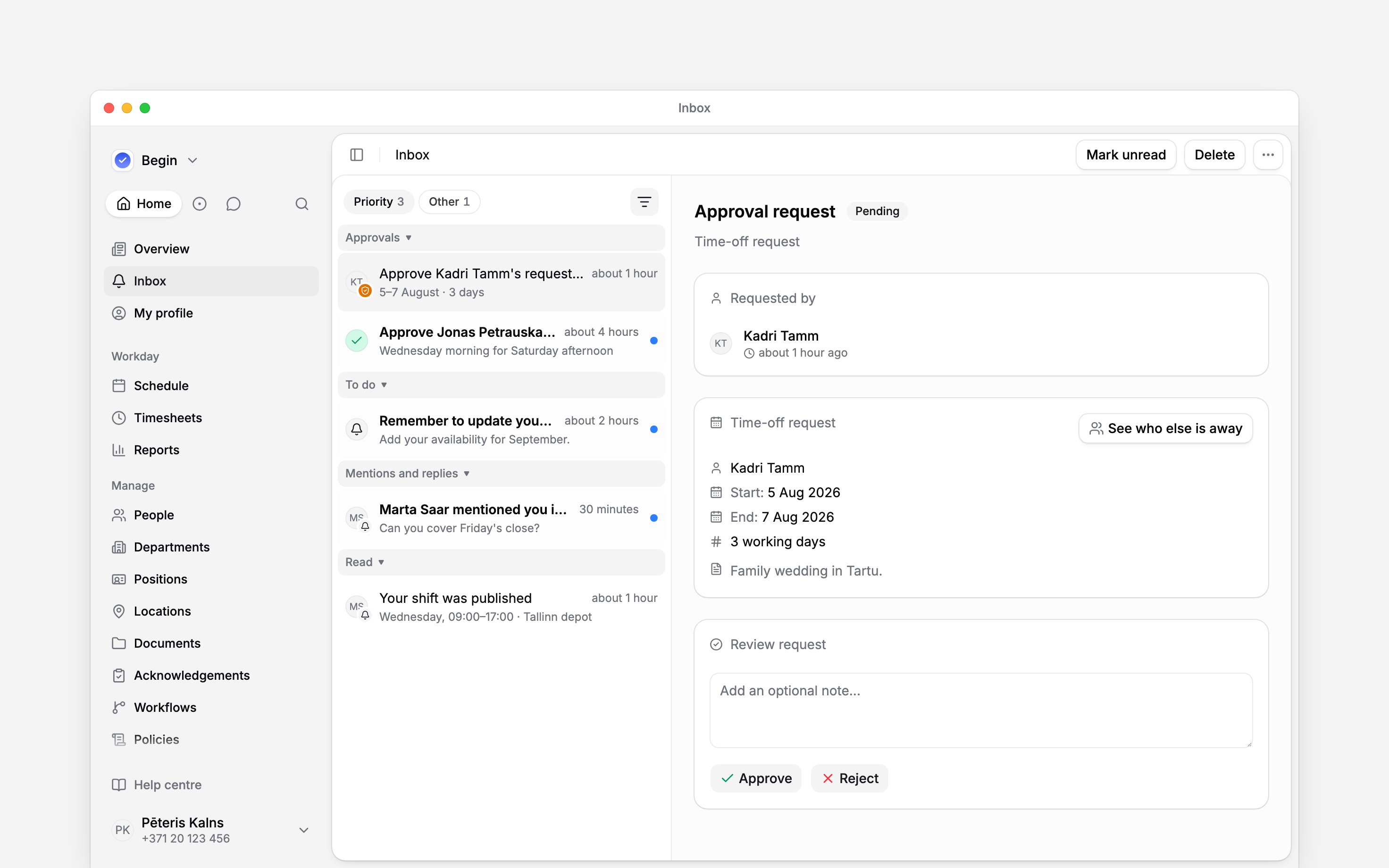
The requester's reason and your optional review note serve different purposes.
Check what the decision changes
Reopen a decision
On a reviewed request, choose Undo, or right-click its row and choose Undo approval or Undo rejection. The request returns to Pending.Undo can also reverse the applied result. For example, reopening approved time off restores the
balance, and reopening a timesheet approval puts its hours back under review. Check the linked
record before deciding again.
Next
Filtering your inbox
Find decisions you have already made.
Managing your inbox
Clear notifications after dealing with their requests.
Still need help?
Contact support
Email the Begin team and we’ll get back to you.
Ask Begin AI
Open the AI assistant and get instant answers based on these docs.