


 Presets are ready-made reports you can use straight away. To change one, duplicate it. Your copy belongs to you, and the preset stays available as a starting point for everyone else.
Pick a starting point
Open Reports and choose the report that answers your question.
Check the report’s period and filters before using its figures. A preset’s saved Status filter can exclude records you expected to see.
Make an editable copy
You need Create reports permission to duplicate a report. If Duplicate to edit is
unavailable, ask an administrator to check your role.
1
Open the preset
Choose it from Reports.
2
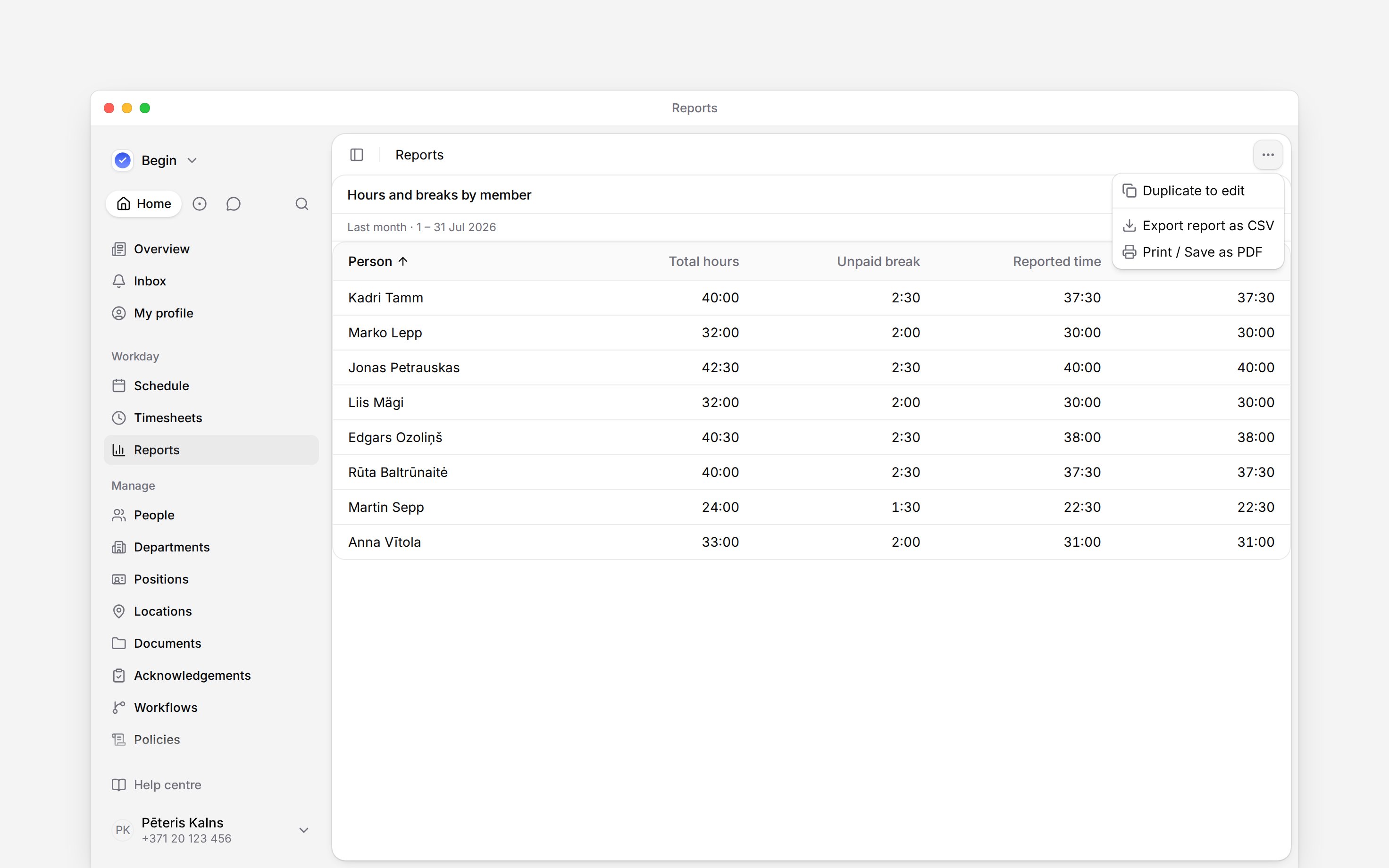
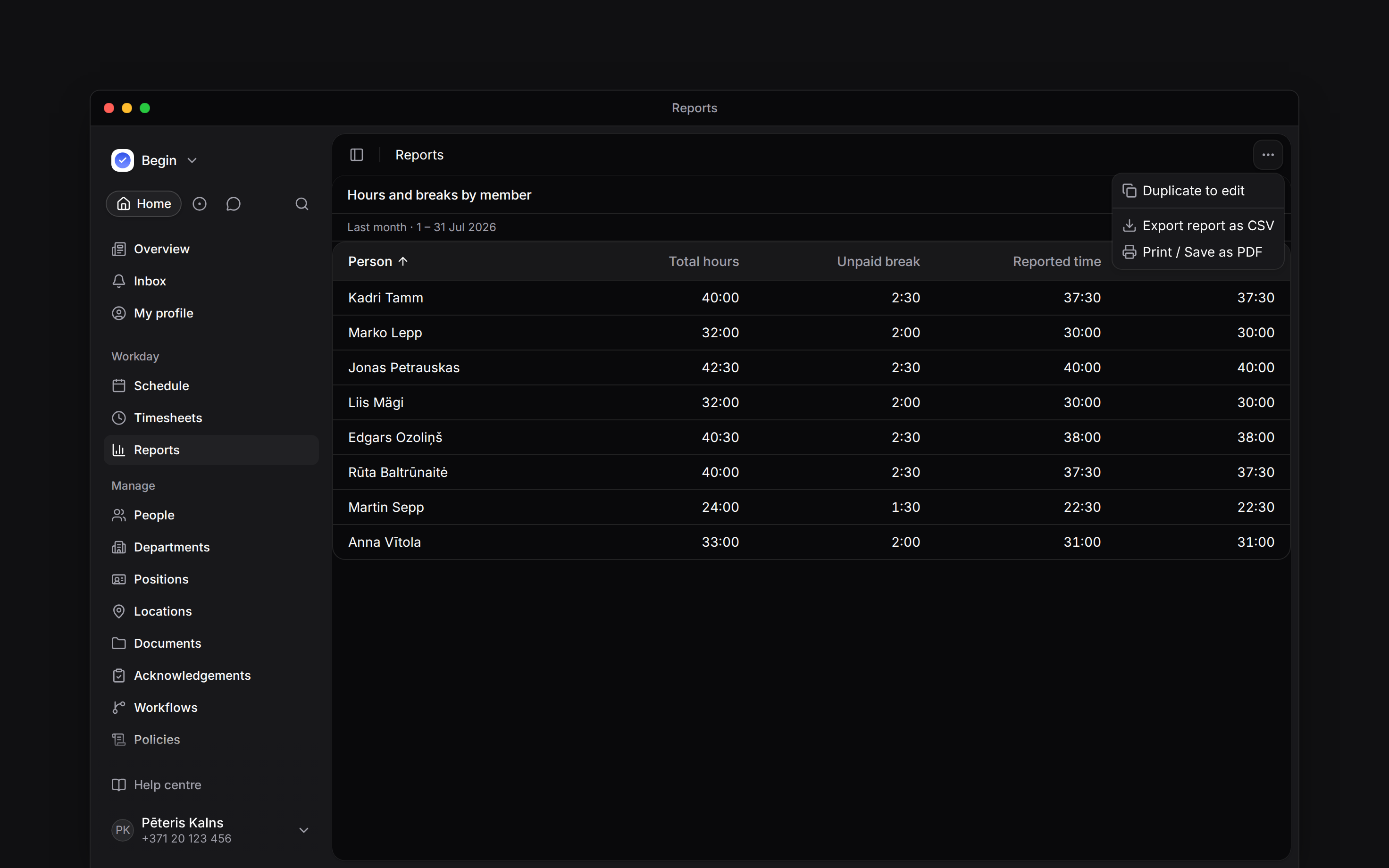
Duplicate it
Open the report menu and choose Duplicate to edit.
3
Name your copy
Open Edit view, change Name to something such as
Monthly payroll, then save.4
Choose your figures
Adjust the copy’s columns, grouping, filters and range. See Building a
report for those choices.
Keep or share your copy
A duplicate starts with Only me access. Use Share view when someone else needs it; Sharing a report explains the choices. Presets cannot be edited, renamed or deleted. If you want a fresh starting point, duplicate the preset again and keep or delete your earlier copy as needed.Recover a deleted copy
Go to Reports → Recently deleted and choose Restore beside the report. It returns with its saved configuration. The list shows the 25 most recently deleted reports you are allowed to restore; deleted reports are not removed automatically. You need Reports Delete permission and must be the owner or an administrator. Can edit alone does not allow deleting or restoring someone else’s report. Recently deleted appears only when there is something you can restore.Next
Building a report
Choose the figures and period for your copy.
Sharing a report
Give your team access to the report you made.
Still need help?
Contact support
Email the Begin team and we’ll get back to you.
Ask Begin AI
Open the AI assistant and get instant answers based on these docs.