


 Once your work carries clients, you can read it client by client: on the client’s own profile, on the schedule and the timesheet, and in Reports.
Beta
Clients are rolling out gradually, so your workspace may not have them yet. If Grouping offers
no Client, ask us to turn them on.
On the client’s profile
Shifts lists the shifts tagged with the client, by day. Upcoming, where it opens, runs forward from today; Past runs back from yesterday. Time lists the client’s time entries, newest first, each with its status. Both show only what your role lets you see on the schedule and the timesheet.On the schedule and the timesheet
Add the Clients filter to keep only the shifts carrying the clients you pick, or switch it to do not include to hide them. A shift with no client drops out of include any of. Set Grouping to Client under Display to give each client a band of its own. A shift with two clients appears in both bands, and No client holds the shifts with none, with time off and availability. Drag a shift into another client’s band to swap the client it came from for that one, or into No client to take all its clients off.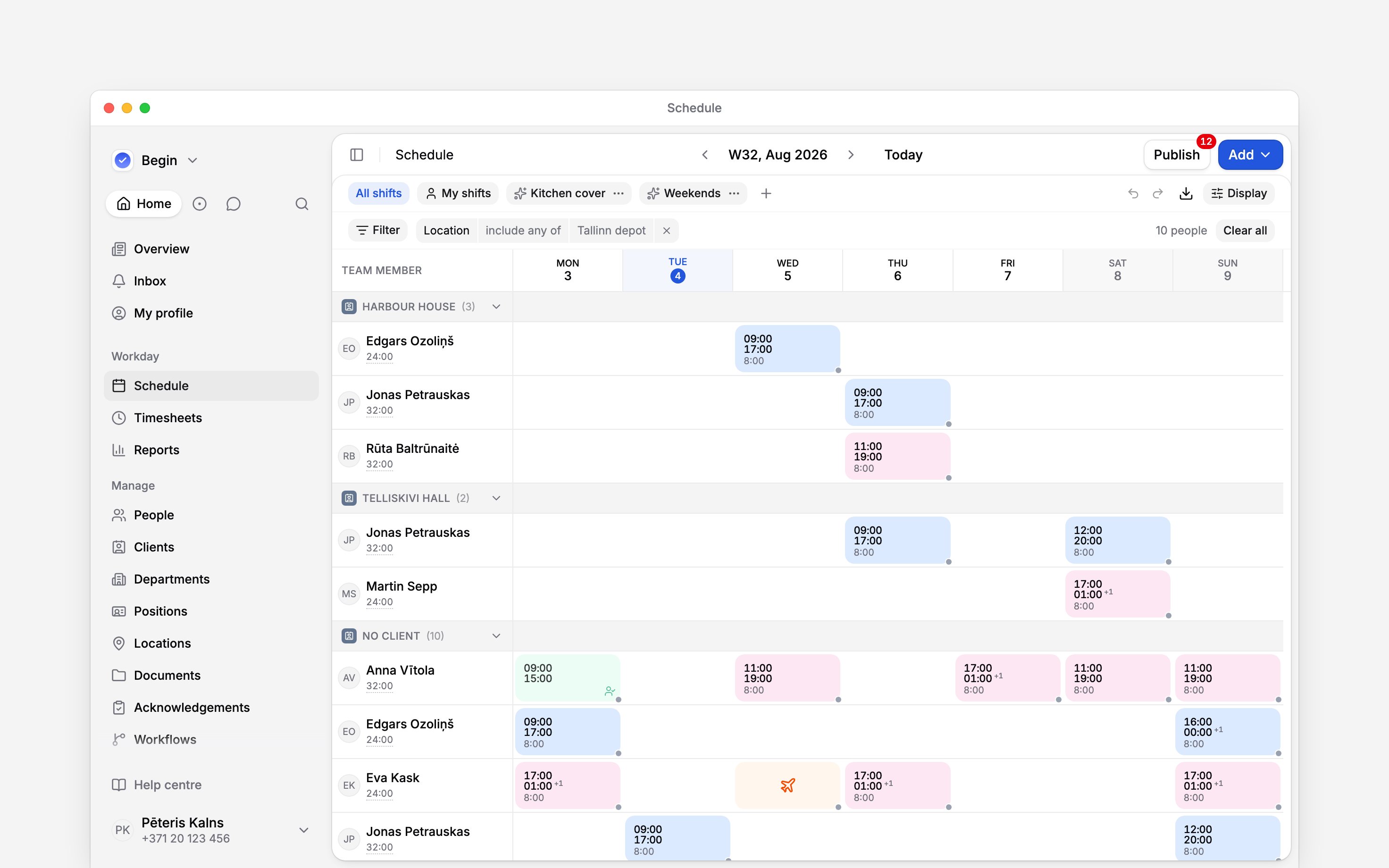
In Reports
Hours by client is a ready-made report: approved time entries this month, one row per client, with the entries, people, reported time, paid time and breaks, highest paid time first. Duplicate it to change the period. In a report of your own, choose Clients under Summarise by or Group by for shifts or time entries, or filter on Clients, where No client is one of the choices. Or ask Begin AI (Cmd / Ctrl + J):Using the Hours by client report, which clients had the most paid hours this month?
A record with two clients counts under both. Client rows can add up to more than the report’s
total, on screen and in a download, so read the total from a report that is not split by client.
Next
Presets
Duplicate Hours by client to change its period or columns.
Tagging work with clients
Get clients onto the work in the first place.
Still need help?
Contact support
Email the Begin team and we’ll get back to you.
Ask Begin AI
Open the AI assistant and get instant answers based on these docs.