


 A person can ask for their data to be removed when leaving a workspace or deleting their Begin account. Answer the request in People or through its Inbox card, under To do. Your answer covers this workspace only.
You need permission to delete people, and the person must be within your permitted scope, to
answer their request.
Review the request
1
Open Data deletion requests in People
If several requests are waiting, choose whose request to answer. The others remain pending.
2
Read why the request was created
The card says whether the person left this workspace or deleted their Begin account.
3
Choose what happens to their record
Read the explanation under Remove their personal data, or choose Keep everything when
you need to retain their identity.
4
Choose Confirm
The result states whether the record was deleted, anonymised or kept. The request is then
answered.
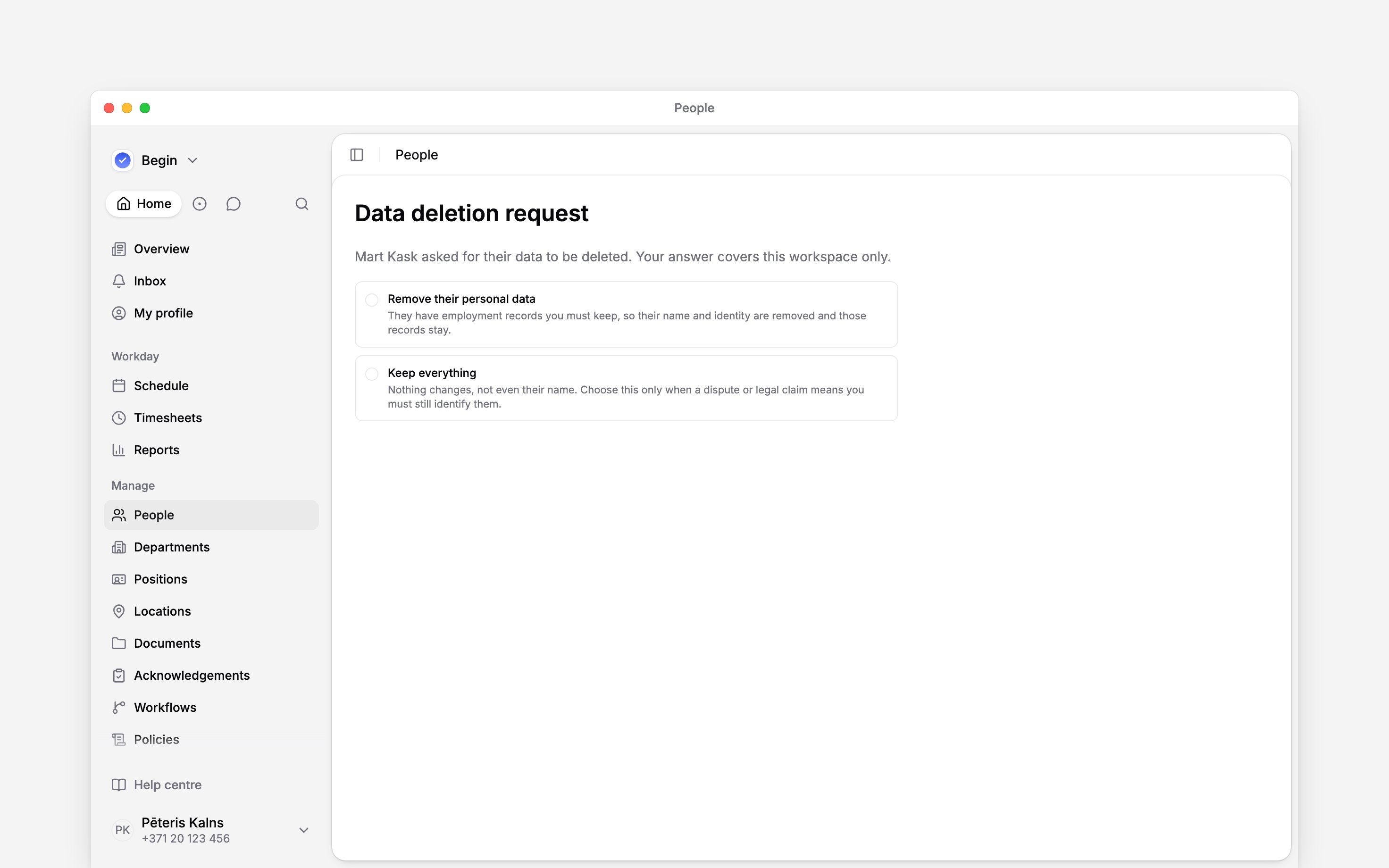
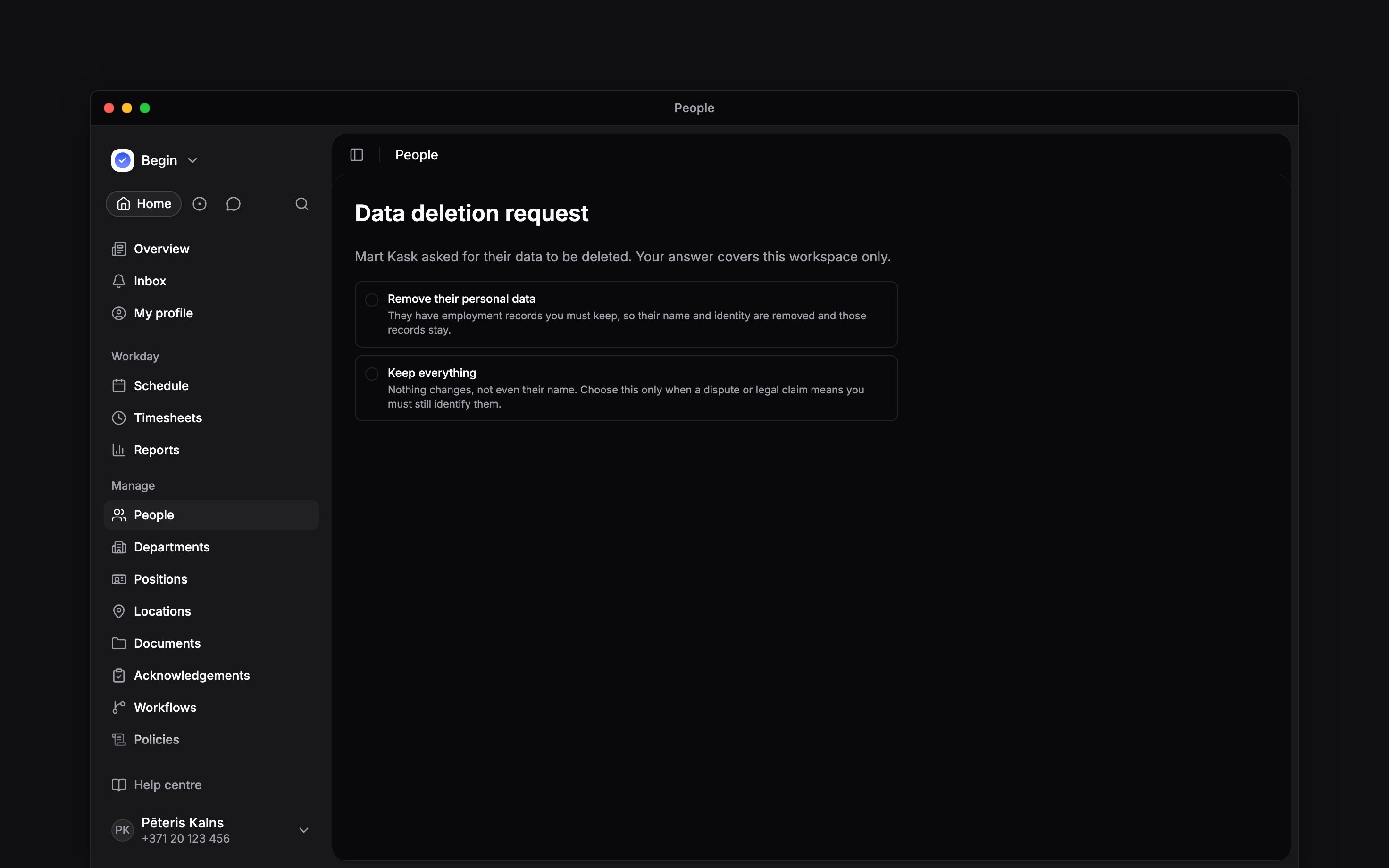
Understand the two choices
You choose whether to remove personal data. Begin determines which removal outcome applies to the records it holds; you do not select anonymisation as a separate option.
Check the result
A deleted record waits in Recently deleted for the erasure countdown. An anonymised record stays as a former employee so its retained employment records remain usable. Keep everything closes the request without changing the record. Use Deactivating and removing people for ordinary access and deletion actions. Those actions do not replace answering a pending request.Next
Deactivating and removing people
Understand account access and the deletion countdown.
Member profiles
Find the records held for a person.
Still need help?
Contact support
Email the Begin team and we’ll get back to you.
Ask Begin AI
Open the AI assistant and get instant answers based on these docs.